Real-time AI infrastructure
AI wrote the code —
prove it works on your real device.
Let your AI test the code in real time, with evidence it actually worked — Claude, Cursor, or Codex.
Free · No card needed · Already sure? Founder pricing →
React Native iOS · UK patent pending · Encrypted in transit · Isolated per customer
Metro Remote running on a real iPhone, driven by an AI agent.
The problem
Your AI says “fixed.” Your phone says otherwise.
The build goes green. Then you tap through the app yourself — and it’s still broken.
Metro Remote tests the change on your real device, in real time — so you can be sure the bug is actually fixed.
How it works
What happens after your agent says “done.”
It works through the coding agent you already use — Claude, Cursor, or Codex. Nothing to bolt on: no test scripts, no testIDs, no separate SDK.
01
The fix lands on your phone
Your agent's change builds and installs on your own iPhone in seconds — from a Mac, or from Windows with no Mac (beta), over WiFi or 5G.
02
The AI opens your app
It reads the live screen the way a user sees it — no testIDs, no SDK — then taps, types, and swipes through the flow that broke.
03
It re-runs the bug
The agent reproduces the exact steps that failed and watches what the app actually does on the device — not what the code should do.
04
You get proof, not a promise
It reports what changed, the evidence behind it, and what it still can't prove — so you stop trusting 'should work now.'
Why Metro Remote
The device stays real. The loop stops being local.
Metro Remote keeps the development runtime connected to the physical iPhone you already use, even when the computer and device are on different networks.
Your own hardware
Your app, Apple account, device state, and hardware behavior. Not a simulator or rented cloud device.
Any network
Keep developing over WiFi or 5G without depending on USB, the same local network, or physical access to the phone.
React Native depth
Standard React Native controls work as-is, with no test scripts, testIDs, or separate automation SDK.
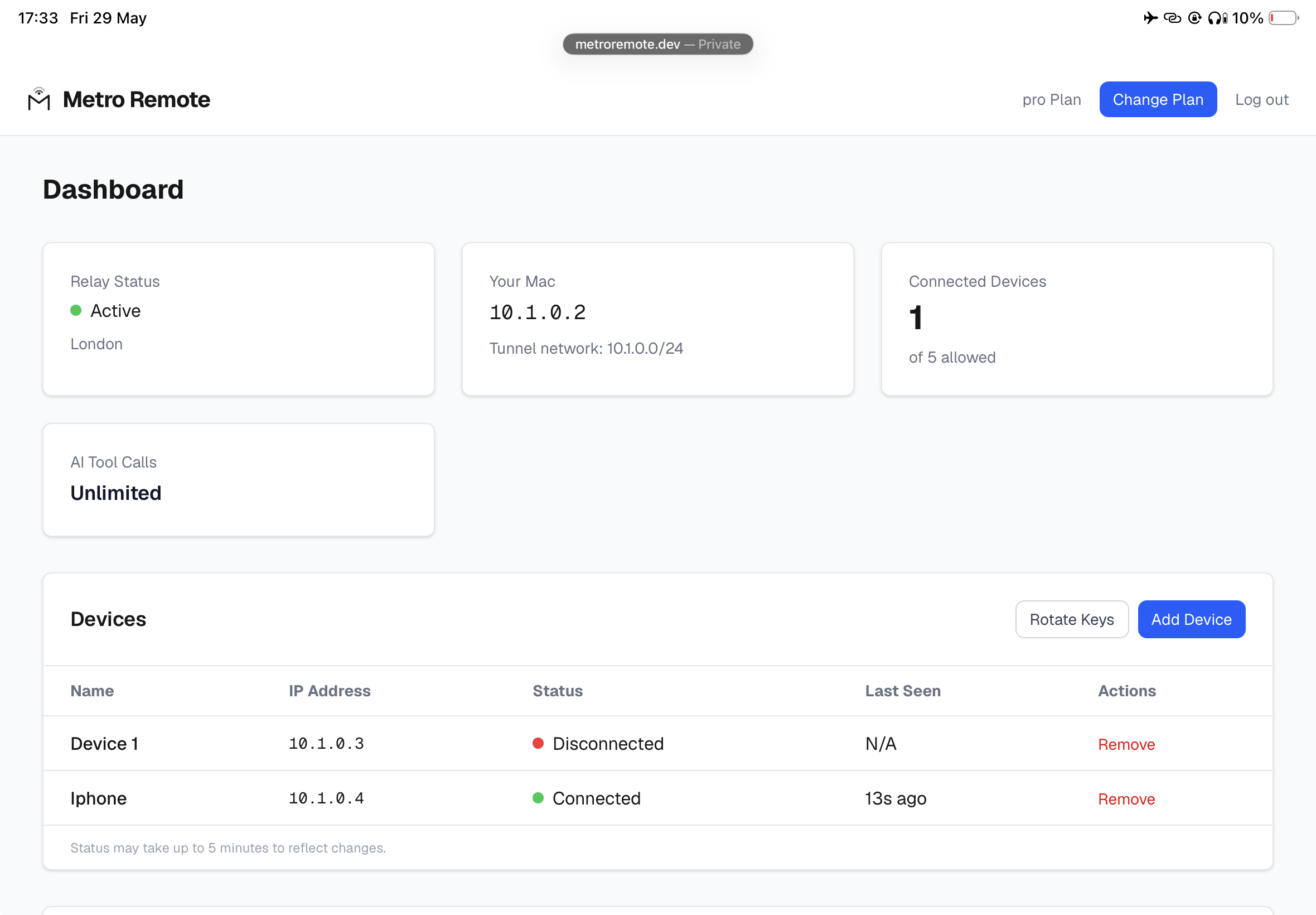
Dashboard
Every device, session, and deploy in one place.
See what is connected and manage the development loop.
Mac or Windows
Start on either. End on the same real device.
Your working copy and Metro stay on your computer, and the live-reload loop runs from there. When you start from Windows, we upload a copy of your project so managed cloud macOS can produce the signed build.
Mac
LOCAL- Local Xcode build and signing
- Install on your registered iPhone
- Local Metro, Fast Refresh, and AI verification
Windows
ROLLOUT- Managed cloud macOS build and signing
- Install on your registered iPhone by QR
- Local Metro sends live JavaScript changes
- The same real-device AI verification loop
Requires an Apple Developer account, signing credentials, and a registered physical iPhone.
Evidence, not optimism
A tap is not proof.
Metro Remote looks for an observable result and names the evidence. When it cannot prove the outcome, it says so instead of guessing.
See the AI integration →metro_remote_tap
✓ Applied "Sakura"
changed: yes
verification_source: app-state
state delta: theme #e0f4ff → #fff0f5
If evidence is incomplete:
cannot_prove: which visual node changed
Security by architecture
Each customer gets an isolated development lane.
Development traffic is encrypted in transit, isolated per customer, and routed without us reading your code or app traffic.
Encrypted in transit
The live connection protects development traffic while it moves between your computer and registered device.
Isolated per customer
Tenant isolation prevents one customer from reaching another customer's development lane.
Built for changing networks
The connection is designed to remain usable as devices move between WiFi, cellular, and changing networks.
Close the mobile AI loop.
Build from Mac or Windows. Verify on the iPhone in your hand.